OwnKeep


Make a working copy
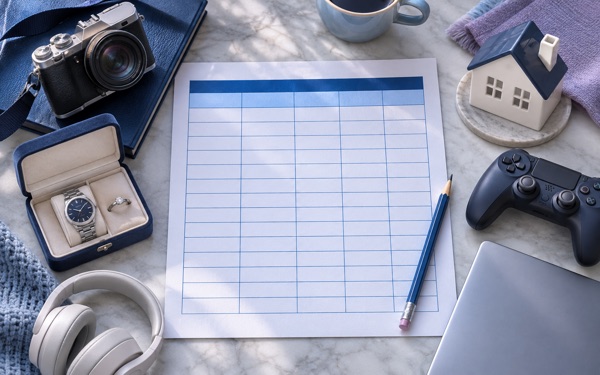
Download the template and save a dated working copy in a private location. Keep an untouched copy if you want a clean starting point later. Open the file in your preferred spreadsheet application and inspect the column headings and sample rows before entering real information.
Remove or replace the illustrative examples so they do not become mixed with your own inventory. Do not count sample values in a household total. If you share the blank template with someone else, share the clean file or public download link rather than a working copy containing your personal records.
Choose a manageable first scope
Start with one room or ten important belongings. Enter recognizable names and locations before researching every date and amount. The template should help you capture useful information, not create a requirement to complete every column for every item immediately.
Use a short unresolved list for missing receipts, uncertain model numbers, or coverage questions. A row can be useful while some fields remain blank. Label estimates in notes and avoid entering a fictional purchase date simply because the spreadsheet sorts more neatly when every cell contains a value.
Keep each row understandable
Use one row per item unless you deliberately describe a group and its quantity. Distinguish separately tracked accessories and avoid counting the same object in both an individual row and a group total. Add enough detail that another person could identify the item without knowing your personal shorthand.
For an illustrative desk setup, the computer and monitor can occupy separate rows while sharing a reference to one invoice. Explain any bundle price rather than assigning the full invoice total to both. The spreadsheet is an organization tool; it does not decide how an insurer wants grouped property described.
Connect the evidence outside the table
Store receipts, photos, and warranty documents in a private folder with readable filenames. Put a reference in the row so you can find the corresponding file. Test a few references after moving or renaming the folder, because a location note is only useful if it still points to the right evidence.
A CSV contains text fields, not a complete collection of attached images and PDFs. Keep the supporting files and a backup plan alongside it. If you send the table to someone, determine whether they also need selected documents rather than assuming the filenames provide access to the underlying files.
Check import behavior and totals
Review identifiers with leading zeros, dates, currencies, punctuation, and non-English characters after opening the CSV. Use text import for model and serial fields where necessary. Keep original purchase amounts separate from estimates and do not combine different currencies without a clear, documented method.
Before adding formulas, calculate a small example manually and compare it. Distinguish missing values from zero. If you sort a column, make sure the entire table stays together so names do not become detached from their evidence references. Keep an untouched export before making substantial edits.
Decide when an app helps
A spreadsheet may be enough for a small static list. An app can make photographs, coverage dates, reminders, and documents easier to maintain together. Move because the workflow benefits you, not because a template must inevitably become an app subscription.
OwnKeep Free supports fifteen local records, basic exports, and backups; Pro expands capacity and adds optional sync and automation. Do not assume the website template automatically imports into every app or reproduces an entire vault. Use the free inventory checklist to plan your capture session, then choose the recordkeeping method you can keep accurate over time.
Sources & disclosure
Published by OwnKeep, which promotes its own app. Prepared with AI assistance; editorial cover imagery is AI-generated. Product screenshots elsewhere on this site use illustrative sample data. Our editorial approach.
Published 2026-11-22. Last substantively updated 2026-11-22.